Coloring Go!
- 4.6
- Rating
- 100.00K
- Installs
- Free
- Price
 Analysis by App-foxy
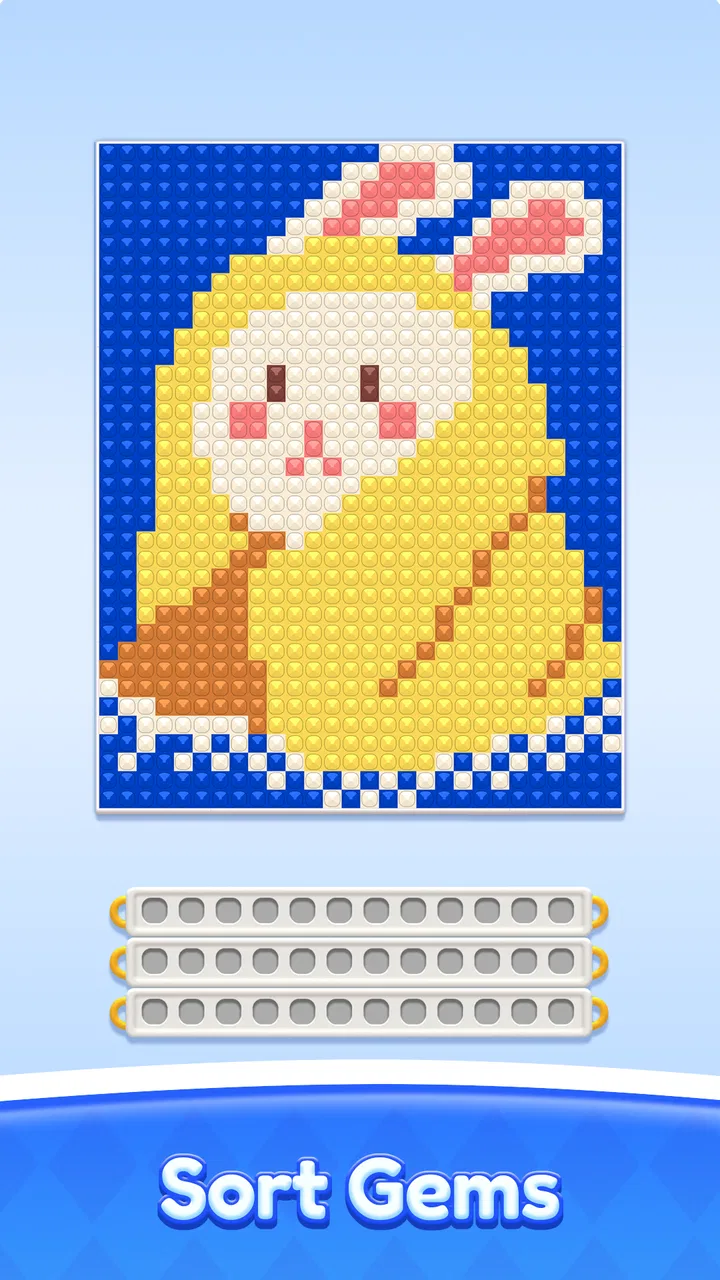
I spent time with Coloring Go as a light, casual puzzle game, and its appeal became clear almost immediately: it asks me to sort colors, keeps the rules easy to understand, and lets me settle into a quiet rhythm without demanding a long session. It is the kind of game I can open while waiting for an appointment, take a few turns during a break, and close without feeling that I have abandoned a complicated story or competitive event.
That simplicity is also the main reason to approach it with the right expectations. This is not a deep strategy game with a large world to explore. It is a focused color-sorting experience from LOST TEMPLE GAMES, aimed at people who enjoy visual organization and small puzzle decisions. I found the strongest part of the experience in the repeated process: observe the available colors, plan a safe move, create space, and gradually bring each container toward a clean result.
The game is free to start and rated for Everyone, which makes it an easy recommendation for families and casual players. It has an average rating of 4.8 from around 2.3 thousand ratings, and its reach has passed 100 thousand installs. Those figures suggest that the straightforward format is connecting with a broad audience, but they do not change my more practical conclusion: whether you enjoy it depends on how much you value calm repetition over variety.
You May Also Like

 AccuWeather: Weather Radar
AccuWeather Review: A Quick, Clear Forecast for Everyday Decisions
For everyday plans, the best forecast is the one you can understand quickly. AccuWeather makes rain timing, radar, and local conditions easy to act on, with a few trade-offs.

 Hill Climb Racing
Why Hill Climb Racing Still Turns Crashes Into One More Run
A tiny car, a bumpy hill and one more upgrade: Hill Climb Racing keeps resurfacing because its simple chaos makes every near-miss feel personal.

 AliExpress - Shopping App
AliExpress Makes Global Shopping Feel Personal, but Shoppers Bear the Risk
AliExpress turns a global marketplace into a pocket-sized discovery engine. Its reach is useful, its shopping loop compelling, and its trade-offs easy to miss.

 Lords Mobile: Kingdom Wars
Lords Mobile Is a Kingdom-Building Routine, Not a Quick Match
A case-by-case verdict on the building, battles, device demands, and social commitments that make Lords Mobile rewarding for some players and exhausting for others.

 PDF Scanner app - TapScanner
TapScanner Makes Paperwork Easier to Capture, Check, and Share
TapScanner makes scanning with a phone feel less like a rescue operation and more like a dependable step in getting work done. Its capture tools are useful, though not flawless.

 Block Blast!
 Shows How Much a Puzzle Game Can Leave Out
A quiet grid game shows why puzzle players increasingly value instant clarity, repeatable skill and low-pressure play—and where the genre still needs to catch up.
More From Our News Desk
View All News


How the basic sorting routine feels in everyday play
The normal workflow is pleasantly direct. I look at the containers, identify which colors can be moved safely, and use empty space to separate the board into manageable groups. A move can look harmless while quietly blocking the only useful route for another color, so the game rewards a little planning even when the visual presentation feels relaxed.
My preferred opening habit is to avoid moving the first available color automatically. I scan the whole board first and look for colors that are already close to being completed. If one container has a matching top layer and another space can receive it without disturbing a useful stack, I usually start there. This reduces unnecessary reshuffling and gives me a clearer picture of what the remaining board needs.
That small pause is especially useful when several colors appear exposed at once. The obvious move is not always the best move; sometimes a temporary transfer creates the room needed to uncover a buried layer. I found that thinking in terms of space rather than only matching colors made later stages feel less random. The board becomes a sequence of openings: free a position, combine a color, then use the new space to continue.
A realistic use case is a short evening break after work. I can play a few boards while waiting for food to cook, and the game does not require me to remember a plot, manage a character, or coordinate with other people. If I stop halfway through a session, returning feels natural because the visual state of the puzzle tells me what I was doing. That makes it more convenient than many casual games built around constant notifications or timed events.
The experience is also suitable for someone who wants gentle mental activity rather than a demanding challenge. Sorting colors creates a modest amount of concentration, but the rules are simple enough for a new player to understand quickly. I would consider it a reasonable choice for a child who enjoys arranging objects, although an adult should still make the final decision about screen time and any purchases.
Where it may not fit is with players who need constant novelty. If your ideal casual game includes action, character progression, online competition, or dramatic level changes, this format may feel narrow. The pleasure comes from refining the same basic skill, not from discovering a new system every few minutes.
Settings and habits that make the game easier to live with
I recommend checking the available settings before settling into a long session. Even in a simple puzzle game, small presentation choices can affect comfort. I look for options related to sound, vibration, notifications, and visual clarity, then adjust them to match the situation. For a quiet public place, I prefer a low-distraction setup; at home, I may leave feedback enabled because it helps each move feel more distinct.
It is worth checking these controls again after an update rather than assuming the first arrangement remains ideal. The current version is 1.14.0, and keeping the game current is sensible when a new release is available through the relevant app store. I do not treat an update number as a reason to expect a different game, but a current installation generally gives me the best chance of using the experience as intended.
My most useful comfort habit is to separate “thinking mode” from “clearing mode.” When I am deciding whether a move is safe, I slow down and ignore speed. Once a color route is obvious, I make those moves together instead of repeatedly stopping to reconsider. This reduces the mental clutter that can come from treating every tap as an equally important decision.
I also suggest playing with the device held in the position that gives you the clearest view of the whole board. Color sorting depends on noticing small relationships between containers, so a cramped or awkward angle can make a simple puzzle feel harder than it is. If the game’s colors are difficult for you to distinguish, increasing general screen brightness or using the device’s accessibility display tools may help, although those adjustments belong to the phone rather than the game itself.
One practical question many players have is whether the free version is enough to try the core experience. In my view, yes: the game is free to download and play, so you can judge the basic sorting loop before spending anything. Optional in-app purchases range from $0.99 to $99.99 per item, which is a wide spread. I would treat the purchase screen carefully, especially on a shared device, and never assume that paying is necessary to understand whether the puzzle style suits you.
The Everyone content rating makes the game approachable for a wide age range, but that does not make every device arrangement automatically suitable for children. If a child uses the phone, I would review purchase protections and store settings first. That is a sensible precaution because the game includes in-app purchases, even though the core premise itself is gentle and nonviolent.
Faster solving patterns without turning play into a chore
Once I became familiar with the basic rhythm, I stopped treating each board as a collection of isolated colors. I began looking for bottlenecks. A container with a useful color buried underneath an inconvenient top layer is often more important than a container that already looks nearly complete. Opening the bottleneck can create several future options, while finishing an easy group too early may leave the rest of the board cramped.
Another effective pattern is to preserve at least one flexible space whenever possible. Empty room is not merely a place to park a color; it is what lets me reverse a poor sequence and expose a hidden layer. Filling every available space because a move is legal can remove the freedom needed two moves later. I therefore ask myself whether a transfer improves the board or simply makes it look tidier for a moment.
I also try to build around the color that appears most frequently in accessible positions. This does not mean moving that color whenever possible. Instead, I use it as an anchor for planning: if several containers can eventually contribute to one completed group, I avoid moves that permanently bury those pieces beneath unrelated colors. This habit is more reliable than chasing whichever match happens to be visible at the top.
For players who like a repeatable routine, my sequence is simple:
- Scan every container before making the first move.
- Identify the most restricted color or the position blocking the most useful space.
- Keep one flexible area open whenever the board allows it.
- Complete a group only when doing so does not trap another needed layer.
- Pause after a major transfer and rescan the whole board.
The final step matters more than it sounds. A large move can change the best plan, and continuing from the old plan is a common source of mistakes. I found that a brief rescan after opening a container was often more valuable than trying to predict the entire solution in advance.
This is also where the game compares favorably with many familiar casual alternatives. Match-three games usually reward quick combinations and visual chains, while endless runners focus on reaction time. Coloring Go asks for slower spatial planning. Compared with a traditional crossword or number puzzle, it is easier to enter because there is less reading and no specialized knowledge. Compared with a purely relaxing coloring app, it offers more structure because every color placement affects the route ahead.
The trade-off is replay texture. A sorting puzzle can become repetitive if you want a strong sense of personal expression or a changing objective. I would choose this game over a match-three title when I want calm organization, but I would choose a word or logic puzzle when I want more variety in the type of reasoning required.
Where careful players may still reach the limits
The game’s focused design is both its strength and its boundary. Color sorting is satisfying because the rules remain clean, but that same cleanliness means the experience may not offer enough for someone looking for a broad progression system. I would not install it expecting a story campaign, a competitive ladder, or a collection of unrelated mini-games. Its identity is much narrower, and that is perfectly acceptable as long as the player wants this particular loop.
Difficulty can also feel uneven from a personal point of view. A board that looks crowded is not necessarily the hardest one, and a visually simple arrangement can require more careful sequencing than expected. I prefer that uncertainty, but players who want clearly labeled difficulty steps may find the progression less satisfying. The best approach is to judge a puzzle by its available space and blocked routes rather than by how busy it appears.
Another limitation is that a mistake can have a delayed cost. A move may seem harmless for several turns before it becomes clear that an important color has been trapped. That is part of the strategy, but it can frustrate players who prefer instant feedback. I recommend slowing down rather than tapping quickly, especially when only one empty position remains. The game is more enjoyable when I treat a failed sequence as a planning lesson, not as a reason to rush into another attempt.
Players should also be comfortable with the possibility of optional spending. The game is free, but the presence of purchases means I would not hand over an unlocked device to a young player without checking the account safeguards first. For someone who wants a completely purchase-free environment, a paid puzzle with no in-app store may be a better fit, even if it has a higher upfront cost.
Device compatibility is straightforward for many users because the minimum requirement is Android 8.0. I would still consider the age and performance of a particular phone before recommending any game, especially if the device has limited storage or an older display. Color recognition is central here, so a screen that renders shades poorly could reduce the enjoyment even when the game itself is working correctly.
The developer, LOST TEMPLE GAMES, has positioned this release clearly as a casual color-sorting game rather than an all-purpose entertainment package. That clarity helps me decide who should try it. It is a good match for short, low-pressure sessions, visual organization, and gradual improvement in planning. It is a weaker match for people who need social features, fast action, or a large amount of content variety to stay interested.
My verdict after building a repeatable approach
After using a deliberate workflow, I found that Coloring Go became more satisfying than it first appeared. The game is easy to start, but it rewards small improvements in how I read space, protect flexibility, and recognize bottlenecks. The best sessions are not about tapping rapidly; they are about making fewer careless moves and understanding why a safe-looking transfer may be strategically poor.
I would recommend it to a friend who wants a calm puzzle for spare moments, particularly someone who enjoys arranging colors and prefers thinking over reflexes. It also works well as a short reset between more demanding tasks. The Everyone rating and free entry make trying it uncomplicated, while the broad install base and 4.8 average suggest that many other players have found the central idea appealing.
I would skip it if you need a strong narrative, constant action, multiplayer competition, or a large collection of mechanics. I would also be cautious if optional purchase screens are a deal-breaker in your household. In those cases, a different casual puzzle or a fully paid alternative may provide a better match.
For everyone else, my advice is to give the first few sessions a fair test using the habits above: scan before moving, preserve room, solve bottlenecks, and rescan after major changes. That approach reveals the real character of the game. The strongest reason to play is not speed, but the quiet satisfaction of turning a crowded arrangement into a clean, deliberate solution.
With its current version, free starting point, and accessible rules, Coloring Go earns a place among the easier casual games to recommend. I would keep expectations focused, protect purchase settings on shared devices, and use the available comfort controls to make short sessions pleasant. Within those boundaries, it delivers a simple color puzzle that is more thoughtful than its relaxed presentation initially suggests.
FAQs for Coloring Go!
01What is Coloring Go! and how does it work?
Coloring Go! is an interactive coloring app available for both Android and iOS devices. It offers a wide range of coloring pages, including intricate designs and mandalas. Users can choose colors from a palette and tap on the sections they wish to fill. The app also provides features like zooming in for precision and saving completed artworks to a personal gallery.
02Is Coloring Go! suitable for children?
Yes, Coloring Go! is suitable for children as well as adults. It offers a user-friendly interface and a variety of designs that cater to different age groups. Parents can feel comfortable allowing their children to use the app, as it encourages creativity and is free from inappropriate content. Additionally, the app includes parental controls to ensure a safe experience.
03Does Coloring Go! require an internet connection?
Once downloaded, Coloring Go! does not require a constant internet connection to function. Users can access and color the pages offline, which is ideal for use during travel or in areas with limited connectivity. However, an internet connection is needed for initial download and for accessing any additional features or updates available from the app's online store.
04Are there in-app purchases in Coloring Go!?
Coloring Go! is free to download and comes with a selection of complimentary coloring pages. However, it does offer in-app purchases, such as additional coloring packs and premium features like removing ads or unlocking exclusive palettes. These purchases are entirely optional and enhance the user experience without compromising the app's core functionalities.
05How can I share my artwork from Coloring Go!?
Sharing your creations from Coloring Go! is simple and straightforward. After completing a coloring page, users can save their artwork to the device's gallery. From there, they can share it directly to social media platforms like Instagram or Facebook, or send it via email or messaging apps. The app makes it easy to showcase your creativity to friends and family.
Pros
- Wide variety of coloring pages.
- User-friendly interface for all ages.
- Offline mode available for convenience.
- Regular updates with new content.
- No intrusive ads during coloring.
Cons
- Limited free content options.
- In-app purchases can be pricey.
- Occasional lag on older devices.
- No option for custom designs.
- Requires account for cloud saving.

Coloring Go!
Gallery